Best Digital Teacher Planner for Goodnotes on iPad: What Actually Helps During the School Week
Find the best digital teacher planner for Goodnotes by comparing lesson planning, class scheduling, meeting notes, grading workflows, and weekly reset structure.

Photo by Jakub Zerdzicki on Pexels.
The best digital teacher planner is not the one with the most decorative inserts. It is the one that helps you move from lesson prep to class delivery to admin follow-up without rebuilding your week every evening.
Need class-aware page structure?
Build a reusable school-week layout with PlannerPier
The Visual Planner Page Builder helps you create weekly pages with the exact zones you need for classes, prep, admin, and notes.
Open Visual Planner Page BuilderWhy teachers need a different kind of digital planner
A teacher does not use a planner the same way a general productivity user does. The week is shaped by timetables, recurring classes, lesson preparation, meetings, grading windows, parent communication, behavior notes, and the constant reality that plans change midweek. A generic weekly planner can help at the edges, but it usually does not hold enough context to support actual teaching work. That is why searches like digital teacher planner Goodnotes, teacher planner for iPad, and lesson planner Goodnotes stay commercially strong. The user is not browsing casually. They are looking for a system that keeps school life from spilling everywhere.
This also explains why many teachers abandon planners they initially liked. The problem is rarely motivation alone. The real issue is that the planner does not reflect how teaching days unfold. If lesson notes live in one place, class checklists in another, meeting notes in a third, and grading reminders in a fourth, the planner becomes a summary instead of a working system. The best digital teacher planner reduces that fragmentation. It shortens the distance between what needs to happen in class and what needs to happen before and after class.
What the best teacher planners include beyond a weekly spread
A strong teacher planner still needs the basics: monthly visibility, weekly structure, and daily planning space. But those foundations are not enough by themselves. Teachers also need practical support pages for lesson prep, class-by-class notes, meeting follow-up, student observations, and rolling task capture. Without these support layers, the weekly spread becomes overloaded and hard to trust. Instead of giving clarity, it turns into a crowded page that still sends the user elsewhere for detail.
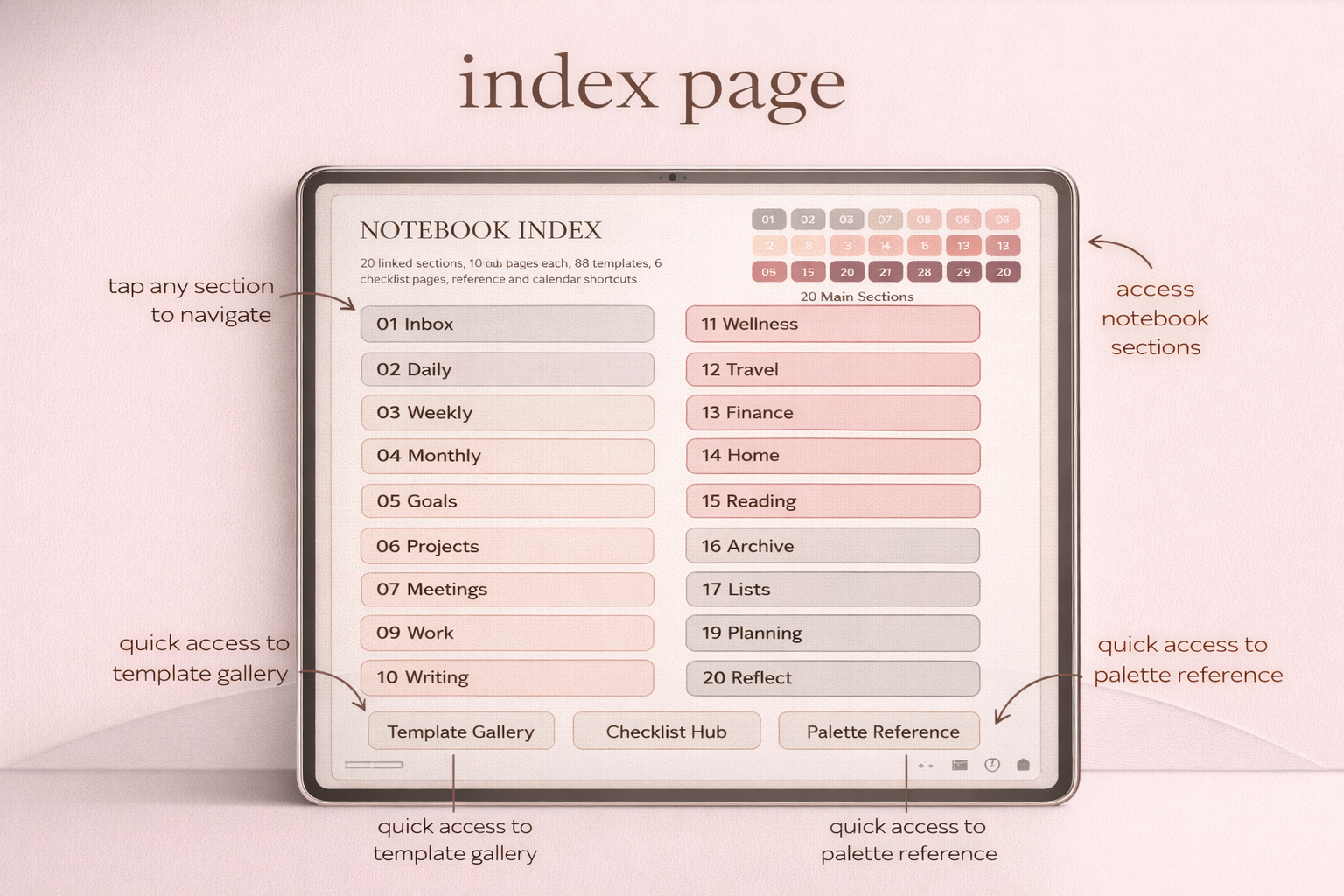
This is why notebook functionality matters so much in a teacher workflow. Even when the main planner is calendar-driven, there should be enough note space nearby to hold unit ideas, lesson reflections, substitute notes, or quick records from staff meetings. Goodnotes workflows are useful here because hyperlinked planners and notebooks can live together inside one library. That lets a teacher move between planning pages and note pages without mentally starting from zero each time.
- arrow_right_altMonthly views for term dates, deadlines, and key school events.
- arrow_right_altWeekly layouts that can hold prep time, class blocks, admin, and follow-up.
- arrow_right_altDedicated notes areas for meetings, lesson reflections, and student-related reminders.
- arrow_right_altFlexible pages for grading plans, resource lists, or recurring class routines.
Product spotlight
A calmer teaching-week planner for iPad
PlannerPier's Simple Undated Digital Planner gives teachers a clear weekly structure, notes space, and low-clutter page flow that works well during busy academic seasons.
- check_circleUseful for weekly planning, prep blocks, and admin visibility
- check_circleIncludes custom and notes sections for teaching support pages
- check_circleWorks well alongside the PlannerPier Digital Notebook for lesson and meeting notes
Where many teacher planner competitors still fall short
Competitor teacher planners on marketplaces often lead with thousands of stickers, colorful tabs, and huge insert counts. That looks impressive in a listing image, but it does not always translate into a stronger school-week workflow. Many of these products are built like generic academic bundles with a teacher label added on top. They may include monthly calendars and class lists, but still under-serve the daily realities of prep, reteaching, quick notes, and weekly recovery after unexpected interruptions.
Another common weakness is that competitor content talks about staying organized without explaining what organization actually means for teachers. A school day creates layers of action: what needs preparing, what needs delivering, what needs recording, and what needs revisiting later. A planner that does not help sort those layers leaves too much invisible work on the user. That is the gap PlannerPier can exploit in content. Instead of saying the planner is beautiful or comprehensive, explain how it helps teachers close loops faster and carry less mental clutter home.
How a teacher can build a practical Goodnotes workflow
The most sustainable teacher workflow usually has two connected layers. The first is the planning layer: calendar, weekly structure, time blocks, top priorities, and recurring admin. The second is the working notes layer: lesson ideas, class notes, meeting notes, resource references, and follow-up reminders. When these layers stay close together, the planner becomes a real operating system for the week instead of a neat record that still requires separate notebooks and loose paper.
A simple rhythm works best. At the start of the week, map fixed commitments and identify the lessons or deadlines that need the most prep. During the day, use note pages to capture what changed, what worked, and what needs attention later. At the end of the week, move only what still matters. This matters because teachers do not need another elaborate self-improvement system. They need a reliable place to land ideas, actions, and decisions before the next school day starts.
Why undated planning can be especially useful for teachers
Teachers often work in seasons: term starts, exam periods, holidays, inset days, report cycles, and shifting workloads across the academic year. An undated planner can therefore be more forgiving than a rigid yearly file because it lets the user begin when needed and skip pages without feeling they are wasting part of the product. That lower-pressure setup can be especially appealing for teachers who are adopting digital planning midyear or testing it alongside an existing school system.
A dated planner still has value when the user wants stronger calendar anchoring and a more structured annual rhythm. But many teachers benefit from flexibility first. They want a planner that helps them stabilize the week before they commit to a more elaborate year view. That is why PlannerPier should not frame one format as universally better. The stronger message is fit: choose the planning structure that supports your real teaching cycle, not the one that looks most complete in a mockup.
Which PlannerPier products fit teacher search intent best
For teachers who want one clear planning layer they can trust quickly, the Simple Undated Digital Planner is a smart starting point. It gives monthly, weekly, daily, custom, and notes sections without overwhelming the user on day one. That is valuable in a school context because the week already contains enough moving parts. A calm planner often outperforms a louder, more feature-stuffed option simply because it gets reopened consistently.
For teachers who need stronger support for notes, planning reflections, and lesson-adjacent material, the Digital Notebook for Goodnotes complements the planner naturally. It gives a structured place for unit notes, class observations, staff meeting notes, and recurring resources. Together, these two products create a teacher workflow that feels closer to a practical command center than a decorative template pack.
How PlannerPier can rank better for teacher-related searches
Teacher-related content performs better when it uses the language of actual school work: lesson planning, grading, parent communication, term planning, class notes, and meeting follow-up. Generic productivity language is too vague here. Teachers recognize immediately when a planner article was written by someone who understands weekly classroom pressure versus someone who only repackaged a standard planner review. The more concrete the examples, the more credible the recommendation becomes.
PlannerPier should therefore keep the positioning grounded and useful. Talk about reducing after-school decision fatigue, keeping lesson context close, and creating a weekly review that does not take an hour. This helps organic rankings because it matches long-tail intent, and it helps conversions because it makes the product feel operational. Readers are more likely to trust a brand that describes the friction honestly than one that sells perfection through pretty screenshots.
A realistic weekly reset for teachers
A teacher weekly reset should be short, forgiving, and focused on what is still live. Start by checking what must be prepared first: classes, deadlines, meetings, or assessments. Then review last week only long enough to pull forward anything genuinely unfinished. This prevents the planner from turning into a guilt archive. After that, create a fresh weekly picture with fixed commitments, prep blocks, and one or two visible teaching priorities. If the week is crowded, the planner should make the load clearer, not pretend there is space that does not exist.
This kind of reset is one of the most useful selling points PlannerPier can highlight. Teachers do not only want organization. They want recovery between demanding school weeks. When a planner helps them restart without rethinking the whole system, it earns repeat use. That is ultimately what makes the planner feel worth buying. Not the number of included pages, but the ease of returning to it after a long day at school.
Frequently asked questions
What is the best digital teacher planner for Goodnotes?
The best one usually combines weekly scheduling, lesson prep support, meeting notes, and flexible note space instead of only offering decorative academic inserts.
Should teachers use a planner and a notebook together?
Yes, often. A planner handles timing and priorities, while a notebook keeps lesson ideas, meeting notes, and teaching context nearby.
Is an undated planner good for teachers?
Yes. Undated planners are often useful for teachers because they allow midyear starts, skipped weeks, and changing term rhythms without wasted pages.
Choose a planner that supports teaching work after the bell rings
PlannerPier digital planners and notebooks help teachers hold lessons, notes, and weekly decisions in one calmer iPad workflow. Explore the collection at https://www.plannerpier.com/.