Best Digital Planner for Goodnotes in 2026: What to Look for Before You Buy
Find the best digital planner for Goodnotes in 2026 by comparing layouts, hyperlinks, daily and weekly structure, note space, and beginner-friendly setup.
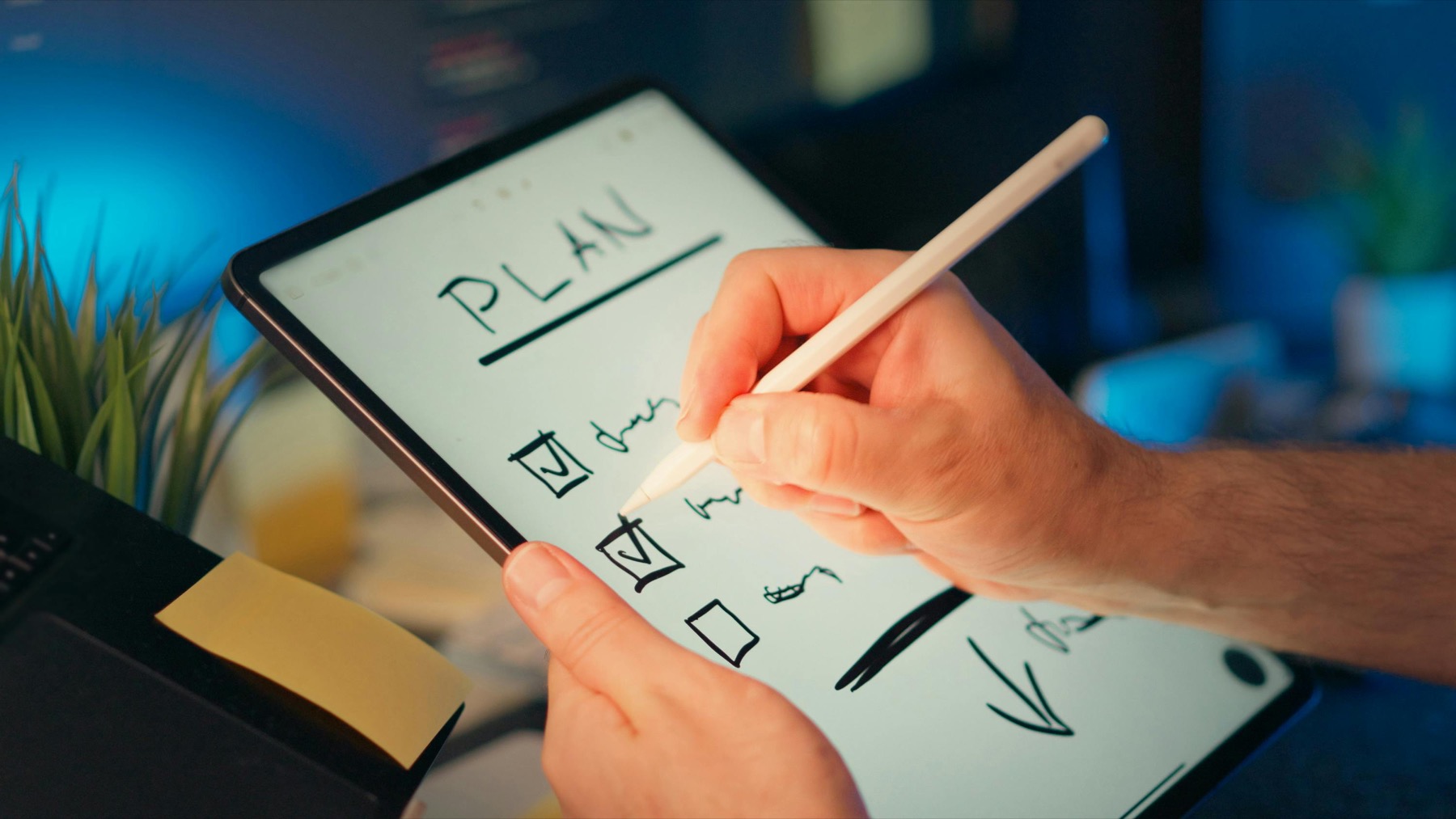
Photo by Jakub Zerdzicki on Pexels.
The best digital planner for Goodnotes is not the one with the biggest template count. It is the one that helps you find the right page fast, think clearly, and keep planning after the first week.
Need help choosing?
Use the PlannerPier quiz to find your best-fit planner
If you are between a minimalist planner, a themed planner, or an ADHD-friendly layout, the PlannerPier quiz helps narrow the choice in about a minute.
Try the planner quizWhy people keep searching for the best digital planner for Goodnotes
Search intent around Goodnotes planners is practical, not abstract. People are not only asking what a digital planner is. They are trying to solve a real friction point: they want one system that holds their schedule, goals, notes, and repeatable weekly review without becoming another thing to maintain. That is why terms like best digital planner for Goodnotes, Goodnotes planner 2026, hyperlinked digital planner, and digital planner for iPad keep performing well. The buyer is close to action, but still uncertain about fit.
Competitor pages often meet that search with long feature lists, bundle screenshots, and giant template counts. That works for clicks, but it does not always help with the actual decision. A planner with 100 pages can still feel easier than one with 500 pages if the flow is obvious. A planner with fewer sections can still be more valuable if it helps you capture tasks, review your week, and reopen the file without dread. The opportunity for PlannerPier is to speak to that deeper buying question: which planner will I actually use next Tuesday when life gets busy?
The features that matter most inside Goodnotes
A Goodnotes planner should first be judged by how well it behaves inside the app. Goodnotes officially supports importing PDF files and navigating PDF hyperlinks, which is why hyperlinked planners became the dominant format in the first place. In other words, the app already gives you the technical base. What separates a strong planner from a forgettable one is how intelligently those links, tabs, and sections are organized once the file is open.
The first feature to evaluate is navigation clarity. Can you jump from yearly overview to monthly spread to weekly page without hunting? The second is page intent. Does each layout make it obvious what belongs there, or do you keep improvising every time you open it? The third is note support. Many buyers want planning and note-taking in the same workflow, so a useful Goodnotes planner needs space for project notes, brain dumps, reflection pages, and quick lists that do not break the rest of the system.
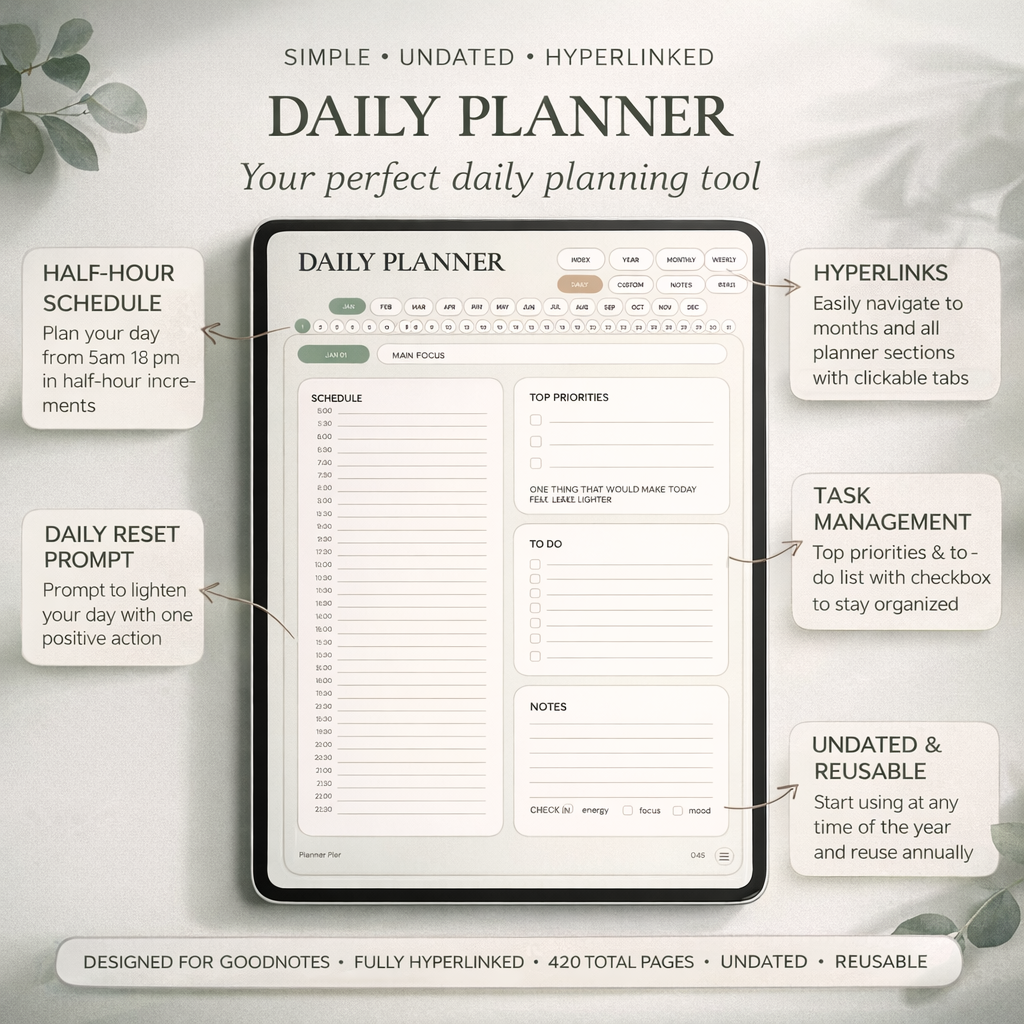
- arrow_right_altLook for linked tabs that make month, week, day, and notes pages obvious.
- arrow_right_altChoose layouts where priorities, schedule, and capture space are visually distinct.
- arrow_right_altPrefer planners that include enough notes and reference pages to support the week, not just decorate it.
- arrow_right_altCheck whether the product includes matching stickers, covers, or setup guidance that reduces beginner friction.
Product spotlight
A cleaner planner choice for buyers who want less friction
PlannerPier's Simple Undated Digital Planner is built for users who want hyperlink speed, easy readability, and enough structure to stay consistent without feeling boxed in.
- check_circle423 linked pages in Monday-start and Sunday-start versions
- check_circleUseful daily, weekly, monthly, custom, and notes sections
- check_circleMatching stickers and covers that support the workflow instead of distracting from it
Why many competitor planners still leave buyers overwhelmed
In competitor research, the most common pattern is abundance as the main sales argument. Shops promote 45 pages, 100 templates, rainbow bundles, multiple colorways, dozens of inserts, and huge sticker packs. That strategy works because shoppers equate more files with more value. But the problem comes after purchase. If the dashboard is noisy, the categories feel random, or the buyer has to build their own workflow from too many choices, the planner becomes a collection instead of a system.
This is where PlannerPier can be sharper. A blog article should not simply repeat that a planner includes monthly, weekly, and daily pages. Almost every seller says that. The article should explain why layout hierarchy matters, why predictable page placement reduces cognitive load, and why beginner users benefit from fewer decisions on day one. Competitors also under-explain the habit side of digital planning. They sell files. You can sell follow-through. That angle is stronger for SEO because it matches informational intent while still supporting purchase intent.
How to choose the right planner layout for your actual routine
The best digital planner for Goodnotes depends on whether you need planning depth, emotional lightness, or project support. If your life is deadline-driven, you probably need a stronger weekly spread and a daily page with clear top priorities. If your life is creative and idea-heavy, you need more note pages and a dashboard that can hold loose projects. If you are easily overwhelmed, you need lower visual clutter, fewer decorative prompts, and a forgiving system that makes restarting feel easy.
This is also why dated and undated planners both have value. A dated planner removes setup work and helps users commit to a calendar year. An undated planner gives more flexibility for people who start late, pause often, or want to experiment without wasting pages. A student may care about assignment tracking and lecture notes. A business owner may care more about weekly planning, admin, and project pages. The best buying decision happens when the planner matches the rhythm of your real week, not the fantasy version of your life.
- arrow_right_altChoose dated if you want less setup and stronger calendar commitment.
- arrow_right_altChoose undated if you want flexibility, custom start dates, or a lower-pressure routine.
- arrow_right_altChoose note-heavy systems if your planner needs to support content, classes, meetings, or research.
- arrow_right_altChoose calmer layouts if you are prone to visual overload or planning avoidance.
Which PlannerPier options fit the biggest search intents
For buyers who want a clean all-rounder, the Simple Undated Digital Planner is a strong fit because it combines calm design, linked navigation, and enough structure for everyday use without feeling crowded. It works especially well for people who are switching from paper planning or testing digital planning for the first time. Because it is undated, it also reduces the pressure to start on a perfect day.
For buyers who want a more playful dated system, the 2026 Kawaii Cat Digital Planner gives a fuller annual setup with a stronger themed personality. For users who want lower-friction support around focus and overwhelm, the ADHD Digital Planner 2026 makes more sense because the value is in reducing planning resistance, not increasing variety for its own sake. And for shoppers who are not ready to commit yet, PlannerPier can use both blogs and tools to guide the choice before the product page has to do all the work.
What makes a planner worth paying for in 2026
In 2026 the real differentiator is not whether a planner is digital. That is already expected. The differentiator is whether it saves enough time and mental effort to become part of the user’s weekly system. A worthwhile planner shortens setup, clarifies priorities, supports note-taking, and keeps navigation fast. It also feels good enough to reopen regularly. That emotional part matters more than sellers admit. If the planner feels visually noisy or structurally confusing, people quietly stop using it even if the file is technically impressive.
That is the angle PlannerPier should continue to own: digital planners as tools for decision removal. Instead of promising endless customization, promise a calmer path from idea to action. Instead of celebrating page count alone, explain the payoff: more clarity, faster weekly resets, better follow-through, and less wasted time rebuilding the same planning structure every Monday. That message ranks because it is useful, and it converts because it makes the product feel like a practical upgrade rather than another aesthetic purchase.
A quick checklist before you buy any Goodnotes planner
Before checking out, ask five simple questions. First, does the planner clearly show how navigation works, or are you guessing from pretty mockups? Second, do the page previews show enough writing space for your actual handwriting and workload? Third, is there a notes section or notebook support for everything that does not fit neatly into a calendar box? Fourth, will the design still feel calm after the novelty fades? Fifth, is there any evidence that the creator understands onboarding, not just design? That might be a quick-start guide, realistic screenshots, or educational content that explains how to use the file well.
This checklist matters because the best digital planner purchase usually feels slightly boring in the right way. It feels clear, usable, and trustworthy. It does not rely on hype alone. For PlannerPier, that is excellent news. The more the market fills with overloaded bundles and vague compatibility claims, the more valuable clarity becomes. Strong content can therefore do double duty: help readers make a better choice and quietly show why PlannerPier products are built for sustainable use rather than one-week excitement.
Frequently asked questions
What is the best digital planner for Goodnotes beginners?
A beginner usually benefits most from a calm, hyperlinked planner with obvious weekly and daily structure rather than a huge bundle with too many page types.
Should I buy a dated or undated Goodnotes planner?
Buy dated if you want less setup and a stronger year-based routine. Buy undated if you want flexibility, a custom start date, or a lower-pressure system.
Do digital planners really work well in Goodnotes?
Yes. Goodnotes supports PDF import and PDF hyperlink navigation, which makes it one of the strongest apps for hyperlinked digital planner workflows.
Choose a planner that saves time after the purchase, not just before it
PlannerPier digital planners are designed to reduce setup friction, improve weekly follow-through, and feel better inside real Goodnotes routines. Explore the full collection at https://www.plannerpier.com/.