Free Digital Planner Tools to Try Before You Buy: A Smarter Way to Choose on iPad
Discover the best free digital planner tools to try before buying a planner, including PDF checkers, planner quizzes, weekly page builders, and tracker generators for iPad users.

Photo by Jakub Zerdzicki on Pexels.
The easiest way to waste money on digital planners is to buy based on screenshots alone. Free tools reduce that risk by letting you test fit, layout, and workflow before you commit to a full product.
Want the fastest low-risk starting point?
Use the planner quiz first, then test your next step
PlannerPier's Find Your Planner tool is the best first click when you want free guidance before comparing products or importing files.
Open Find Your PlannerWhy shoppers should stop buying planners from screenshots alone
A digital planner listing can look perfect and still fail in real use. The weekly spread may feel cramped, the hyperlinks may not behave the way you expected, or the style may be attractive but exhausting after a few days. This is one of the biggest differences between buying a physical planner and buying a digital one. You are not only choosing design. You are choosing workflow behavior inside an app.
That is why free digital planner tools matter so much. They let the buyer test the shape of the workflow before making a paid commitment. In SEO terms, this topic sits very close to conversion. The reader is interested enough to buy, but cautious enough to want proof first. Content that meets that caution honestly can build trust fast.
The first tool to use: planner fit, not planner aesthetics
Before checking page counts or color palettes, the buyer should answer a more important question: what kind of planner do I actually need? A student, an ADHD user, a parent managing family admin, and a freelancer handling client work should not start from the same file. That is why a tool such as PlannerPier's Find Your Planner quiz is more useful than endless store browsing.
The quiz works because it narrows choices before emotional scrolling takes over. Instead of searching for a perfect aesthetic, the buyer can identify whether they need simplicity, more note support, more structure, or a calmer weekly view. Once that answer is visible, the product path becomes much cleaner.
- arrow_right_altUse a planner quiz first if you do not know what kind of layout fits your life.
- arrow_right_altUse a quiz before comparing prices, because the wrong planner is expensive even when it is cheap.
- arrow_right_altUse the result to narrow the workflow, then evaluate actual products.
The second tool to use: test PDF compatibility before importing
One of the most frustrating buyer experiences is downloading a planner, importing it, and discovering that the file does not behave as expected in the app. That is exactly why a PDF checker can be so valuable. It changes the conversation from hope to verification, especially for Goodnotes users who care about imported PDF behavior and clean navigation.
PlannerPier's GoodNotes PDF Checker is strategically strong because it solves a real anxiety point before the sale. The user does not need marketing language in that moment. They need reassurance that the planner file is worth their time. Once a tool removes that doubt, trust goes up and resistance goes down.
The third tool to use: build one useful page before buying a full system
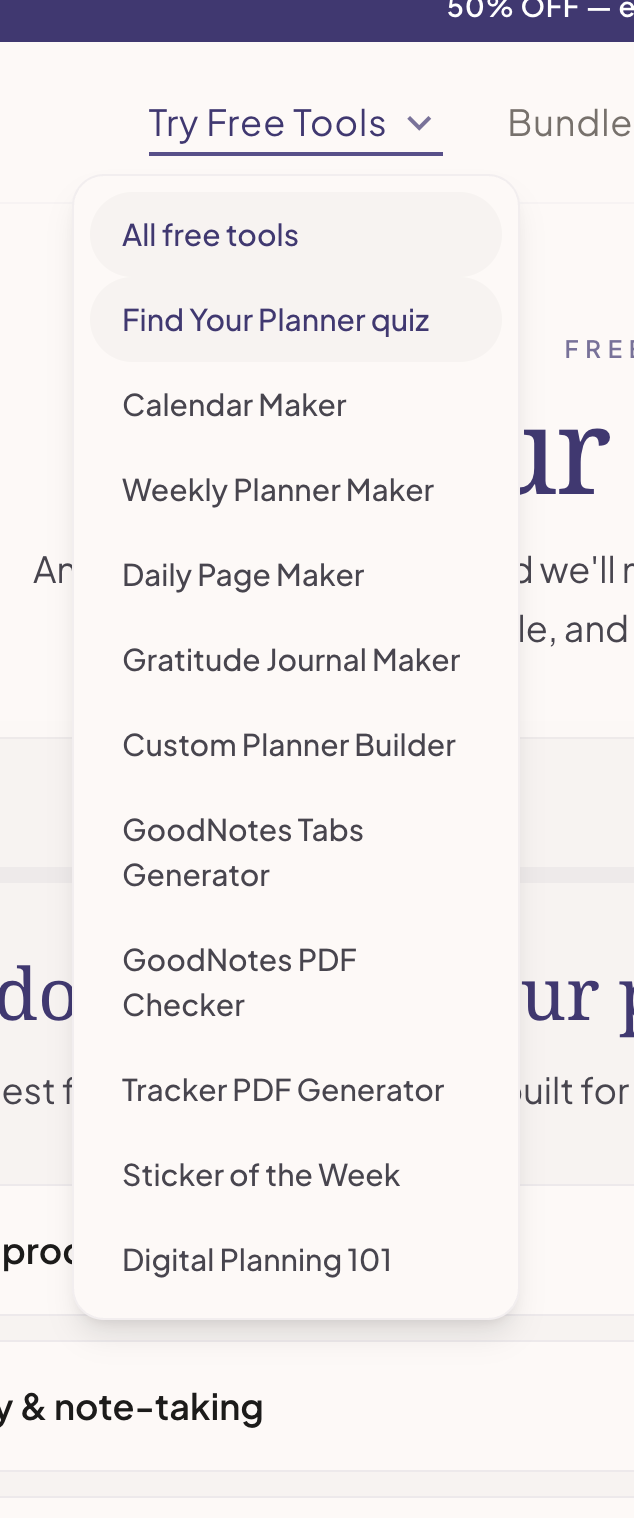
A buyer who has never used a digital planner may not need a 400-page file yet. They may only need to test whether a weekly layout or habit tracker works on their iPad. This is where focused generators become much more useful than generic freebies. A weekly page maker or tracker generator can prove whether the person likes writing, navigating, and reviewing inside a digital planning workflow.
This is also where PlannerPier's product strategy looks stronger than many competitors. Instead of only offering one free full planner and hoping it converts, the platform lets the user test specific planning jobs. That aligns well with how real buyers think. They do not always need a whole planner first. Sometimes they need one page that solves one recurring problem.
How free tools lead to better paid planner decisions
A free tool should not exist only to collect an email. It should make the eventual paid decision smarter. If someone uses a weekly page maker and realizes they want a simpler layout, that should guide them toward a lighter product. If someone uses the planner quiz and discovers they need more work-life coordination, that should point them toward a more structured planner or notebook setup.
This is where soft product integration works best. The content can naturally mention options like the Ultimate Planner Bundle for buyers who want a coordinated starter system, or the Simple Undated Digital Planner for iPad for users who want one clean file first. The product suggestion feels earned because the tool journey came first.
The PlannerPier advantage: tools as a trust-building platform
Most digital planner competitors still behave like storefronts first. Their content sells the planner, then maybe offers a freebie. PlannerPier is better positioned when it behaves like a tools platform first. The free tool stack gives buyers a lower-risk way to understand themselves, test workflows, and stay on-site longer before purchasing.
That matters for both SEO and conversion. Search traffic entering through planner questions can move into tools, then into account creation, then into paid products or Premium access. The article therefore does more than rank for a keyword. It supports a platform-style growth loop where each tool interaction makes the next conversion step easier.
Frequently asked questions
What free digital planner tools should I try first?
Start with a planner quiz to understand fit, then use a PDF checker or focused page generator to test compatibility and workflow before buying a full planner.
Can free planner tools help me choose the right Goodnotes planner?
Yes. Free tools help you test layout preference, app fit, and planning habits so you do not have to buy based on screenshots alone.
Are free digital planner tools better than downloading random freebies?
Usually yes, because focused tools test a specific planning need and give you clearer feedback than a random free file you may never actually use.
Use free tools to make a smarter planner purchase, not just a faster one
Explore PlannerPier at https://www.plannerpier.com/ to test free planner tools, narrow your workflow fit, and buy a digital planner with more confidence.