Digital Planner for Exam Season in Goodnotes: A Study Planning System That Does Not Add More Stress
Learn how to use a digital planner for exam season in Goodnotes with revision blocks, assignment tracking, note organization, and a realistic study workflow on iPad.

Photo by Jakub Zerdzicki on Pexels.
A study planner only helps during exam season if it turns vague academic pressure into clear weekly actions. The right digital setup should lower stress, not become another thing to manage.
Need help shaping your study week?
Map deadlines and revision blocks with the Student Planner tool
PlannerPier's Student Planner tool helps turn academic pressure into a clearer weekly study plan before exam season gets chaotic.
Open Student PlannerWhy exam season breaks ordinary planning habits
Exam season changes the shape of time. A normal week might already include classes, part-time work, commuting, assignments, and basic life admin. Once revision pressure arrives, everything tightens. Students suddenly need to remember exam dates, track what has been covered, decide what to revise next, and make room for concentrated study blocks without collapsing into panic planning.
That is why exam-season searches have such strong intent. The student is not looking for a cute planner page. They are looking for a way to regain control. A digital planner on iPad can help because it keeps deadlines, study sessions, notes, and progress markers close together. But the setup has to be practical. If it creates more admin than clarity, it becomes part of the problem.
Start by separating scheduling from studying
One of the most helpful shifts during exam season is to stop expecting the planner to hold everything. The planner should answer timing questions: when is the exam, what revision blocks are booked this week, which assignments are due first, and where are the open spaces for catch-up? The studying itself belongs in notes, flashcards, textbooks, and practice questions. When those two layers blur together, the planner gets noisy fast.
This is why a planner-plus-notebook workflow is often the smartest student setup. The planner makes decisions about time. The notebook holds summaries, lecture notes, reading extracts, and concept breakdowns. The two stay connected, but they do not compete for space.
- arrow_right_altUse the planner for exam dates, revision sessions, and weekly priorities.
- arrow_right_altUse a notebook for lecture summaries, essay ideas, formulas, and reference material.
- arrow_right_altReview both together once a week so your study plan reflects your real workload.
Product spotlight
A calmer student setup for notes and study planning
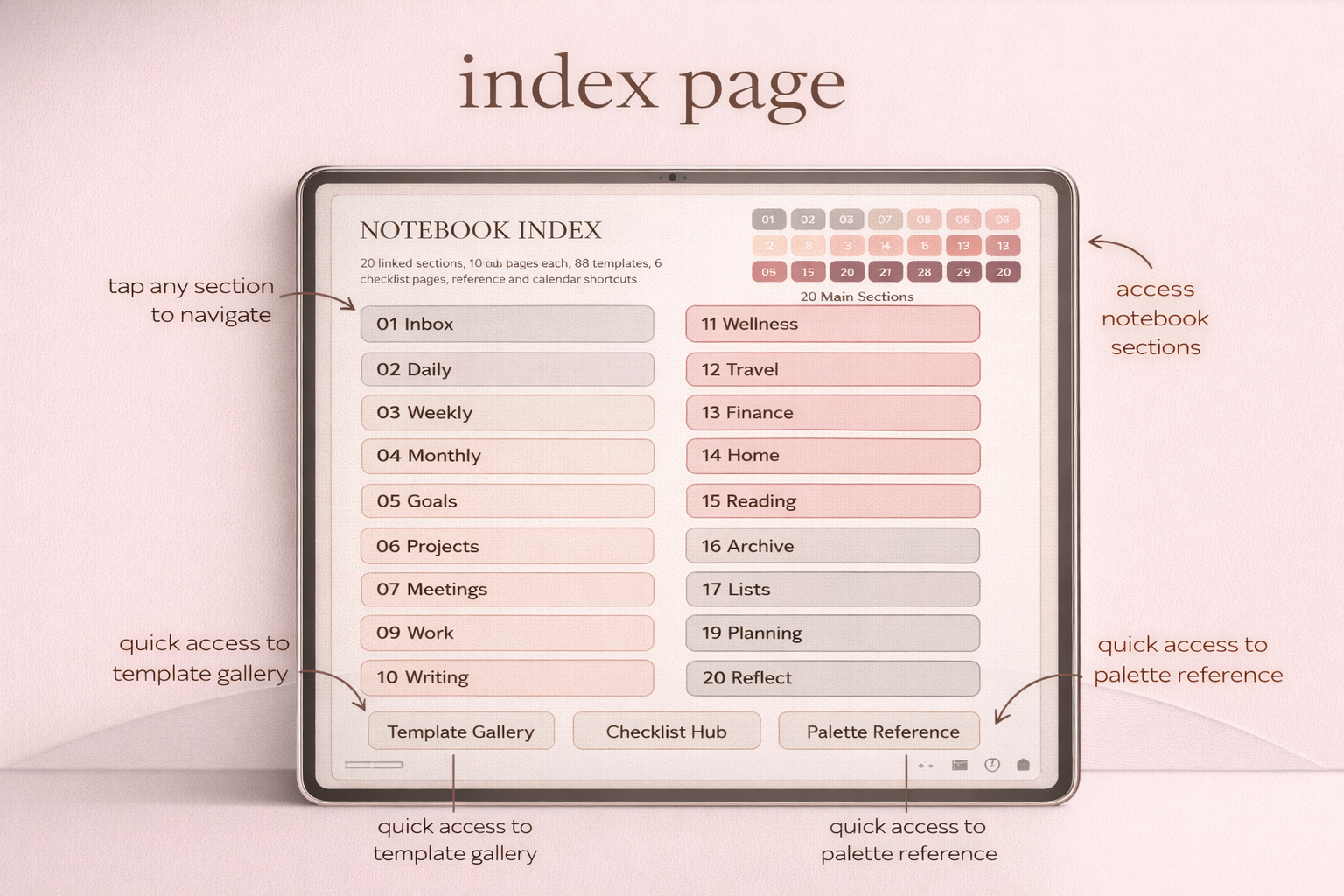
PlannerPier's Digital Notebook for Goodnotes gives students structured space for revision notes, reading summaries, and subject organization without crowding the weekly planner.
- check_circleUseful for lectures, exam prep, essay planning, and reading notes
- check_circlePairs naturally with a simple planner for weekly study scheduling
- check_circleA strong option for students who already work mostly on iPad
Build revision blocks around subjects, not guilt
A lot of students create unrealistic revision schedules because they plan from anxiety. They write six-hour study days, stack every subject into one week, and treat the planner like a moral scoreboard. That approach usually collapses quickly. A better method is to assign revision blocks based on cognitive load, deadlines, and what is realistically possible around classes and energy.
For example, one subject might need short daily recall sessions, while another needs two longer deep-work blocks each week. Your digital planner should make those differences visible. That is where the [Student Planner](/tools/student-planner) tool becomes useful. It helps students map subjects, study sessions, and academic priorities into a clearer structure before everything turns into a last-minute scramble.
Use a digital notebook to stop your planner from becoming a mess
Exam season creates a lot of academic material: lecture notes, revision summaries, reading notes, assignment ideas, past-paper insights, and subject-specific lists. If all of that starts leaking into the planner pages, the weekly view becomes harder to scan and harder to trust. That is why a dedicated notebook is often the missing layer in a student planning system.
The Digital Notebook for Goodnotes works especially well here because it gives students a flexible but organized place to store subject notes, essay plans, reference lists, and revision pages. Pair it with a calmer planner and the workload becomes easier to navigate. You are no longer asking one file to do every job at once.
What a realistic exam-season weekly review looks like
A useful weekly review during exam season is short and honest. First, list the exams, submissions, and major deadlines coming soon. Second, note what revision blocks actually happened and which ones slipped. Third, decide what needs to change this week based on real progress, not wishful thinking. This review loop keeps the planner connected to reality instead of to idealized productivity.
This is also where many students discover that they do not need a more complicated planner. They need a better review habit. Once the week is regularly checked against actual coursework, the whole system becomes calmer. The planner stops being a place for panic promises and becomes a control panel for deliberate effort.
How to use low-energy days without losing the whole plan
Exam season rarely unfolds at one steady energy level. Some days allow deep revision. Other days only support lighter work such as flashcards, organizing notes, or reviewing mistakes from past papers. A good digital planner should make room for that reality. Instead of assuming every study block will require maximum focus, label some blocks as high-energy and others as low-energy so the week still moves even when you feel stretched.
This approach matters because many students fall behind not from lack of effort, but from all-or-nothing planning. When the plan expects perfect concentration every day, one tired afternoon can feel like total failure. A calmer planner routine protects momentum by giving each energy level an appropriate job. That makes the system more humane and more usable right when academic pressure peaks.
Where PlannerPier products fit for students
Students usually need three things from a digital planning brand: low-friction structure, room for notes, and flexibility when the academic term gets chaotic. PlannerPier can offer all three without forcing students into a giant bundle. A simple planner can anchor weekly timing, a notebook can hold the deeper study work, and a student-focused planning tool can help shape the workload before the week begins.
That makes the conversion path straightforward. The Simple Undated Digital Planner works well for students who want a clean planning layer. The Digital Notebook for Goodnotes supports lecture and revision material. The [Student Planner](/tools/student-planner) tool provides an interactive bridge for planning the academic load itself.
Frequently asked questions
Is a digital planner good for exam season?
Yes, especially when it is used to manage exam dates, revision blocks, and weekly priorities while a separate notebook holds the actual study material.
What should students put in a digital planner?
Students should focus on deadlines, revision sessions, assignment checkpoints, and weekly priorities rather than trying to store all notes directly in the planner.
Do students need a digital notebook as well as a planner?
Often yes. A notebook gives lectures, revision notes, and subject summaries their own organized space so the planner stays usable during busy weeks.
Create an exam-season system that reduces stress instead of adding more planner work
Explore PlannerPier at https://www.plannerpier.com/ if you want student-friendly digital planners, notebooks, and iPad tools built for realistic study routines.