How to Run Projects in a Digital Planner on iPad Without Creating More Admin
Learn how to manage projects in a digital planner on iPad with Goodnotes-friendly weekly planning, note organization, deadlines, and a simpler workflow for client or personal projects.
Photo by Mikhail Nilov on Pexels.
A digital planner should make projects easier to see and easier to move, not become another app you have to maintain. The right setup keeps project context close to the week without duplicating your entire system.
Need to turn messy notes into next actions?
Use AI Planner Studio to shape rough project input into a weekly plan
PlannerPier's AI Planner Studio is useful when meetings, brain dumps, and scattered notes need to become something your planner can actually use.
Open AI Planner StudioWhy project planning breaks many digital planner systems
Projects create a different kind of planning pressure than ordinary weekly tasks. They have stages, waiting-on items, notes, references, decisions, and deadlines that change shape over time. Many digital planners fail here because they try to solve everything inside one file and one page type. The result is clutter: weekly pages become overloaded, project pages become vague, and the system feels heavy to reopen.
This is exactly why the keyword matters. The reader is not simply looking for a planner. They are looking for a way to keep projects visible without opening ten apps or building a productivity dashboard from scratch. A digital planner on iPad can help, but only if the setup respects the difference between planning the week and storing project context.
Use the planner for weekly execution, not for storing the whole project
Your planner should answer immediate questions: what matters this week, what is due next, what is waiting on someone else, and what needs a follow-up slot? That makes the weekly spread the execution layer of project planning. It should not become the archive for every meeting note, brainstorm, screenshot, and draft idea.
This is where many people either overcomplicate the planner or give up on it. They try to turn each project page into a full project management board. A better workflow is lighter. Keep just enough project information in the planner to decide the week, then keep deeper material somewhere nearby. That nearby place can be a digital notebook, a separate note file, or a planning tool designed for overflow thinking.
- arrow_right_altUse the planner to decide what moves this week and what gets reviewed next.
- arrow_right_altDo not force long notes and full project archives into the weekly planning space.
- arrow_right_altKeep a clean handoff between weekly action and deeper project reference.
Product spotlight
A notebook companion that keeps projects from crowding the planner
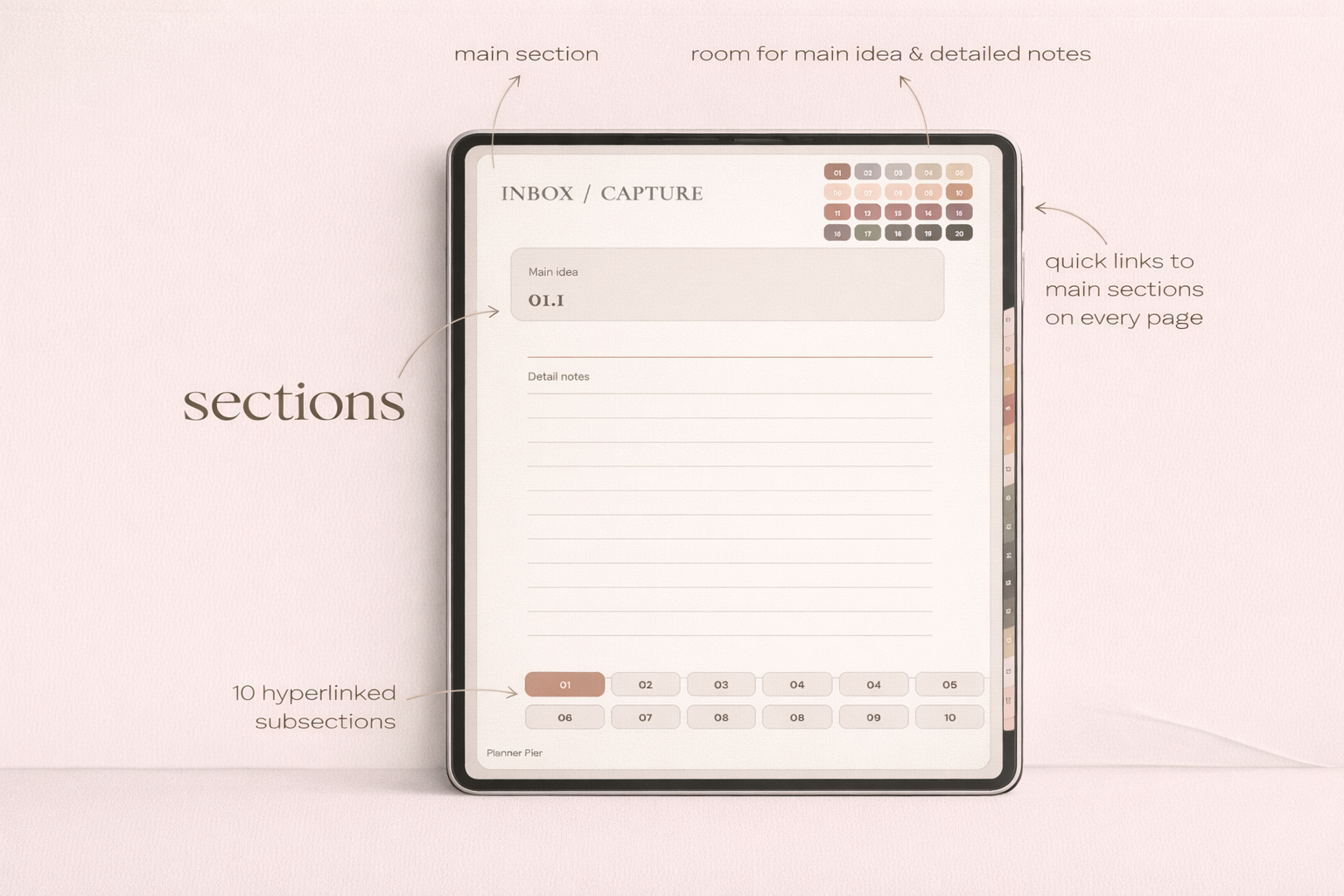
PlannerPier's Digital Notebook for iPad & GoodNotes gives project-heavy users a cleaner place for notes, outlines, reference material, and support pages while the planner stays focused on weekly action.
- check_circleStrong fit for client work, content planning, study projects, and multi-step personal goals
- check_circleReduces planner clutter by separating execution from reference
- check_circleWorks naturally with Goodnotes-based weekly planning on iPad
Why a notebook plus planner setup often works better
A notebook can hold the project material that a planner should not carry: meeting notes, research, drafts, waiting-on lists, feedback, outlines, and reference screenshots. That separation reduces clutter while keeping the project accessible on the same device. It also mirrors how many professionals already think. The planner tells them what to execute. The notebook holds what they need to execute it well.
This is why the Digital Notebook for iPad & GoodNotes pairs naturally with a planning workflow. It gives you a dedicated place for project context without forcing every thought into the active planner. For freelancers, consultants, content creators, and students running major assignments, that division is often what makes the system sustainable.
A simple structure for project pages that stays useful
If you do keep project pages inside or beside the planner, make them brutally practical. A good project page usually needs the project name, current objective, next deadline, current status, blocked items, next action, and a pointer to notes. That is enough to keep the project alive inside weekly planning without pretending the page must do everything.
This is another place where many competitor templates miss the mark. They offer attractive project spreads full of decorative boxes, but not enough structure for real follow-through. PlannerPier can out-position that by teaching readers what a project page should actually do: shorten the distance between context and action.
How AI and planner tools can reduce project friction
Projects often begin as messy thinking: scattered notes, meeting takeaways, brain dumps, voice memo summaries, and half-formed priorities. Turning that material into a weekly plan is exactly where tool-based workflows can help. An AI-assisted planner tool can help structure the noise before it reaches the planner page.
PlannerPier's AI Planner Studio is relevant here because it turns rough notes into more usable planning output. That does not replace judgment. It reduces the cleanup burden. For users managing many moving pieces, that can be the difference between having a project system in theory and actually using it each week.
How PlannerPier can own this workflow topic
This topic is commercially valuable because project-minded users often become high-intent buyers. They are not looking for decoration alone. They want a repeatable system that can hold real work. PlannerPier's advantage is the ability to recommend a workflow stack instead of one isolated file: planner for weekly execution, notebook for project context, and tools for structuring messy input when needed.
That makes the content naturally useful and naturally conversion-friendly. The article can help the reader simplify project planning, then point them toward the products and tools that support that simplification. The sales angle stays soft because the workflow logic is doing the persuasion.
Frequently asked questions
Can you manage projects in a digital planner?
Yes, especially if you use the planner for weekly execution and keep deeper project notes in a nearby notebook or support file instead of one overloaded spread.
Is a digital notebook useful with a project planner?
Often yes. A notebook gives projects a place for notes, drafts, and reference material without crowding the active planner pages.
What should a project planning page include?
Keep it practical: objective, deadline, current status, blocked items, next action, and a link or pointer to the project notes.
Build a project planning workflow that helps you move work, not just document it
Explore PlannerPier at https://www.plannerpier.com/ if you want digital notebooks, planner tools, and iPad-friendly workflows that keep projects organized without extra admin.