What Is a Digital Planner? A Beginner Guide for iPad, GoodNotes, and Better Weekly Planning
Learn what a digital planner is, how it works on iPad, and how beginners can start a simple planning routine in GoodNotes or Notability without overwhelm.
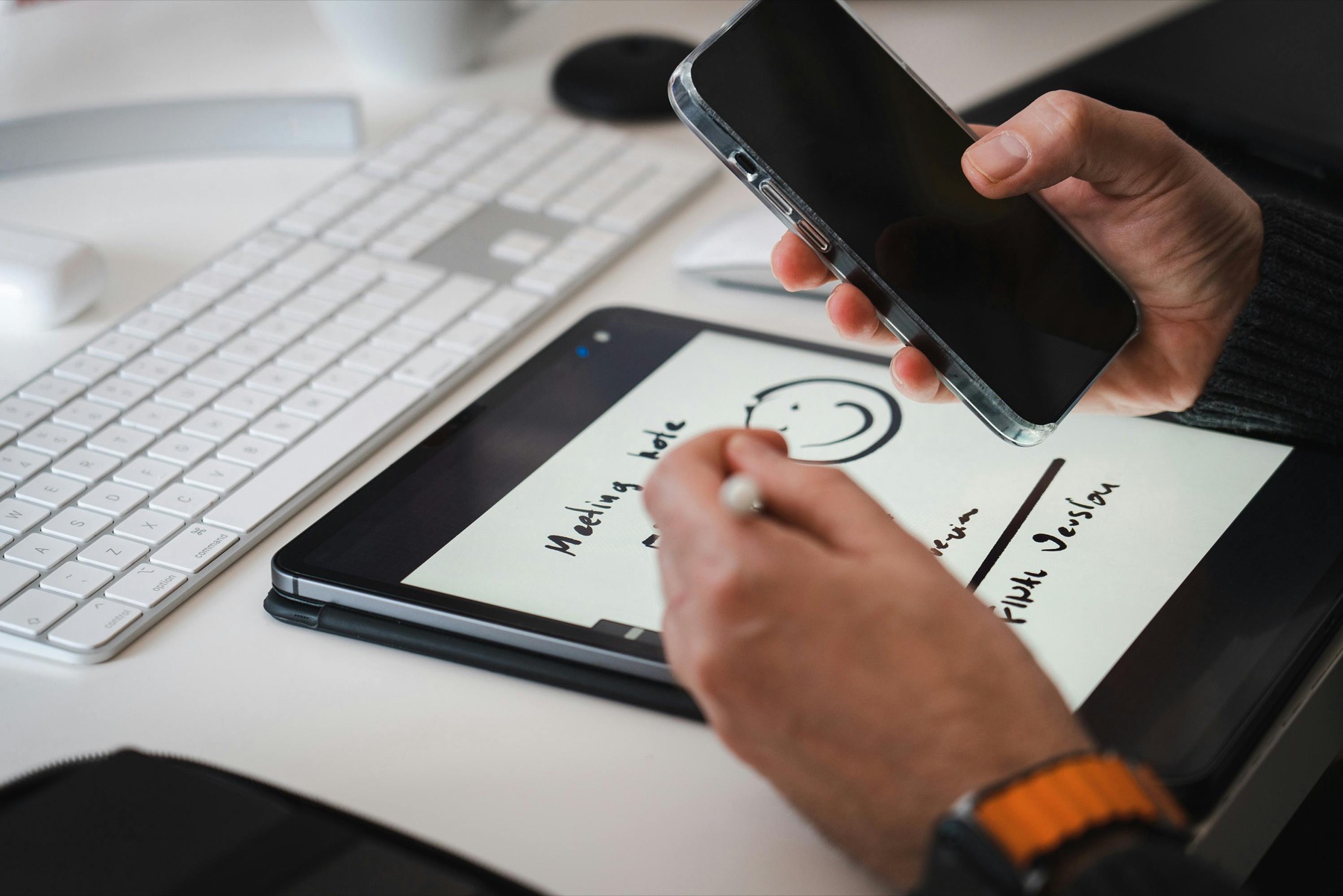
Photo by Jakub Zerdzicki on Pexels.
A digital planner is not just a PDF with pretty tabs. Used well, it becomes a faster, cleaner, and more flexible planning system that fits the way you actually move through your week.
Need a calmer starting point?
Start with Digital Planning 101 before building a bigger system
PlannerPier's Digital Planning 101 walkthrough helps first-time users understand setup, navigation, and planning flow without the usual overwhelm.
Open Digital Planning 101What a digital planner actually is
A digital planner is a reusable planning file, most often a hyperlinked PDF, that you import into an app such as GoodNotes, Notability, Noteshelf, or another PDF annotation app on your tablet. Instead of flipping physical paper pages, you tap tabs, write with a stylus, duplicate pages when you need more space, and keep your planning system in one portable workspace.
That sounds simple, but it matters because many beginners overestimate the technical barrier. You do not need to code, design layouts from scratch, or master advanced productivity theory before a digital planner becomes useful. In practice, a digital planner is just a cleaner container for your schedule, tasks, goals, lists, routines, and notes. The advantage is that it can move faster than paper without becoming as distracting as a dozen separate apps.
Why so many people switch from paper to digital planning
The biggest reason people switch is convenience with structure. A paper planner feels tactile and satisfying, but it can be limiting once your week changes constantly, your notes spread across multiple notebooks, or you want to duplicate the same layout without rewriting everything. Digital planning lets you keep handwriting while adding search, links, copy-paste, extra notes pages, and simple navigation between yearly, monthly, weekly, and daily views.
The other reason is flexibility. You can restart mid-year with an undated planner, test different layouts, combine planning with journaling, or keep a budget page and habit tracker inside the same system. This is where PlannerPier's product approach is useful. Someone who wants a low-pressure starting point can use the Simple Undated Digital Planner, while someone who wants more assets and coordinated planning extras can explore the Ultimate Planner Bundle.
- arrow_right_altDigital planners keep handwriting while removing page limits.
- arrow_right_altHyperlinks reduce scrolling and make large planners easier to use.
- arrow_right_altUndated layouts are ideal if you want flexibility instead of calendar pressure.
Product spotlight
A simpler first planner usually gets used more
PlannerPier's Simple Undated Digital Planner is a strong beginner fit because it removes date pressure, keeps navigation calm, and gives new users enough structure without overload.
- check_circleUndated pages let you start any time without guilt
- check_circleClean navigation makes weekly planning easier to repeat
- check_circleA flexible layout leaves room to grow into a fuller system later
What you need before you start
For most beginners, the setup is straightforward. You need a tablet, usually an iPad, a note-taking or PDF annotation app, and a planner file built for linked navigation. An Apple Pencil or compatible stylus helps, but the real quality difference comes from the planner structure more than the hardware. If the layout is confusing or overloaded, even a premium device will not fix the friction.
It also helps to know what kind of planning problem you are solving first. Are you trying to stop forgetting appointments, build a calmer weekly review, keep school and life tasks together, or manage more specific needs like ADHD routines or budgeting? When you know the job your planner needs to do, you stop shopping for decoration and start choosing a layout that removes mental clutter.
How a beginner should choose the first digital planner
The best first digital planner is usually not the biggest or the most aesthetic one. It is the one you can open quickly and understand without thinking. That means clear tabs, enough writing space, and a layout that matches your actual week. If you mostly need weekly structure and flexibility, a simple undated planner will usually get more real use than a giant all-in-one system with dozens of specialized sections you never open.
This is one place where many competing blog posts stay too shallow. They tell people to choose based on style, paper texture simulation, or sticker compatibility, but they do not push hard enough on workflow fit. A good beginner planner should answer three questions immediately: where do I see my week, where do I dump loose thoughts, and where do I return tomorrow? PlannerPier's Find Your Planner quiz is useful because it narrows that choice based on lifestyle rather than aesthetics alone.
How to use a digital planner without getting overwhelmed
The easiest way to fail with digital planning is to treat it like a craft project before it becomes a habit. Many beginners spend too much time picking pen colors, downloading sticker packs, renaming sections, or comparing apps instead of learning a five-minute planning rhythm. The planner starts feeling like another project to manage, which defeats the purpose.
A better approach is to create a minimum viable routine. Use one monthly page to see major dates, one weekly page to map your commitments, and one daily page or notes page for focus. Revisit your planner at the same time each evening or morning. Once that loop feels natural, then add trackers, wellness pages, or stickers. That order matters because consistency should come before customization.
- arrow_right_altStart with monthly, weekly, and one notes or daily page.
- arrow_right_altReview your planner at the same time each day when possible.
- arrow_right_altAdd decorative elements only after the system already works.
Where PlannerPier fits into a better beginner workflow
PlannerPier is strongest when it acts as more than a download shop. A beginner often needs education, examples, and a way to test their planning style before committing to a long-term system. That is why the combination of guided tools and carefully scoped products matters. Someone who needs help understanding the basics can start with Digital Planning 101, then move into a product that matches what they learned about their own routine.
The product references also become more natural when framed around outcomes. The Simple Undated Digital Planner saves time because it removes date pressure and decision overload. The Ultimate Planner Bundle can make sense when a user already knows they want a wider planning ecosystem with notebooks, templates, or extras that support one integrated workspace.
A realistic first week with a digital planner
In week one, your only goal should be familiarity. Import the planner, learn where the tabs go, test writing comfortably, and complete a small weekly reset. Notice whether you can find your next page without friction. Notice whether your tasks feel clearer when grouped by day, priority, or theme. This observation stage is more important than making the planner look finished.
By the end of the first week, you should know whether your layout needs more space for notes, fewer boxes, a stronger daily focus, or a more supportive routine like budgeting, gratitude, or habit tracking. Those signals help you upgrade intentionally. They also make future purchases smarter, because you are no longer guessing. You are selecting tools based on use, which is exactly how a digital planner becomes a long-term aid instead of an abandoned file.
Frequently asked questions
Do I need GoodNotes to use a digital planner?
No. GoodNotes is a popular option, but digital planners also work in Notability, Noteshelf, Xodo, and other PDF annotation apps depending on the file and your device.
Is a digital planner better than a paper planner?
It depends on your workflow. A digital planner is usually better if you want hyperlinks, flexibility, reusable pages, and one central planning space on your tablet.
What is the best digital planner for beginners?
A simple, clearly structured planner is usually best for beginners, especially one with easy navigation and enough weekly writing space without too many extra sections.
Start simple, learn your workflow, and let your planner grow with you
PlannerPier digital planner collectionunu ve başlangıç araçlarını keşfetmek için hemen ziyaret et: https://www.plannerpier.com/