Best Digital Planner for College Students in Goodnotes: Notes, Assignments, and Exam Weeks
Find the best digital planner for college students in Goodnotes by comparing assignment tracking, class notes, exam prep, weekly planning, and notebook support.
Photo by Pavel Danilyuk on Pexels.
College students do not just need a calendar. They need a system that can hold deadlines, lecture notes, study blocks, and personal life without becoming impossible to maintain.
Study workflow support
Build a semester-friendly layout with PlannerPier Student Planner
If you want class-aware planning pages before buying, PlannerPier Student Planner helps turn deadlines, study blocks, and course notes into a clearer system.
Open Student PlannerWhy college students need more than a basic planner
A college schedule is different from a typical office schedule. Students are not only managing appointments and to-do lists. They are managing lectures, reading assignments, coursework, group projects, personal responsibilities, exam preparation, and often part-time work on top of all that. A planner that only shows dates is not enough. Students need a system that helps them connect deadlines with the work required before those deadlines arrive.
This is why the search for the best digital planner for college students is really a search for an integrated study workflow. The best planner for a student does not only tell them what is due. It helps them see what to work on this week, where to keep notes for each class, and how to move from lecture notes to revision to submission without losing track of context.
What a strong student digital planner should include
The first requirement is deadline visibility. Students need a monthly or semester view that makes due dates, exams, and milestones easy to scan. The second is weekly planning. Once deadlines are visible, the student still needs to turn them into study blocks, reading sessions, and priority tasks. The third is note support. This is where many planners fall short. If the planner and the notes live in separate chaotic systems, students waste time recreating context every time they study.
A powerful student setup therefore combines planner pages with notebook functionality. That does not mean every page must be a lecture template. It means the planner should either include a strong notes hub or pair naturally with a digital notebook. Goodnotes workflows are especially useful here because imported PDF planners and notebooks can sit inside the same library, making it easier to move between planning and study materials.
- arrow_right_altSemester or monthly views for due dates and exam dates.
- arrow_right_altWeekly pages that turn large deadlines into smaller study actions.
- arrow_right_altDedicated note or project sections for each class.
- arrow_right_altFlexible pages for reading lists, revision plans, and group project tracking.
Product spotlight
A student-friendly setup for notes, study, and planning
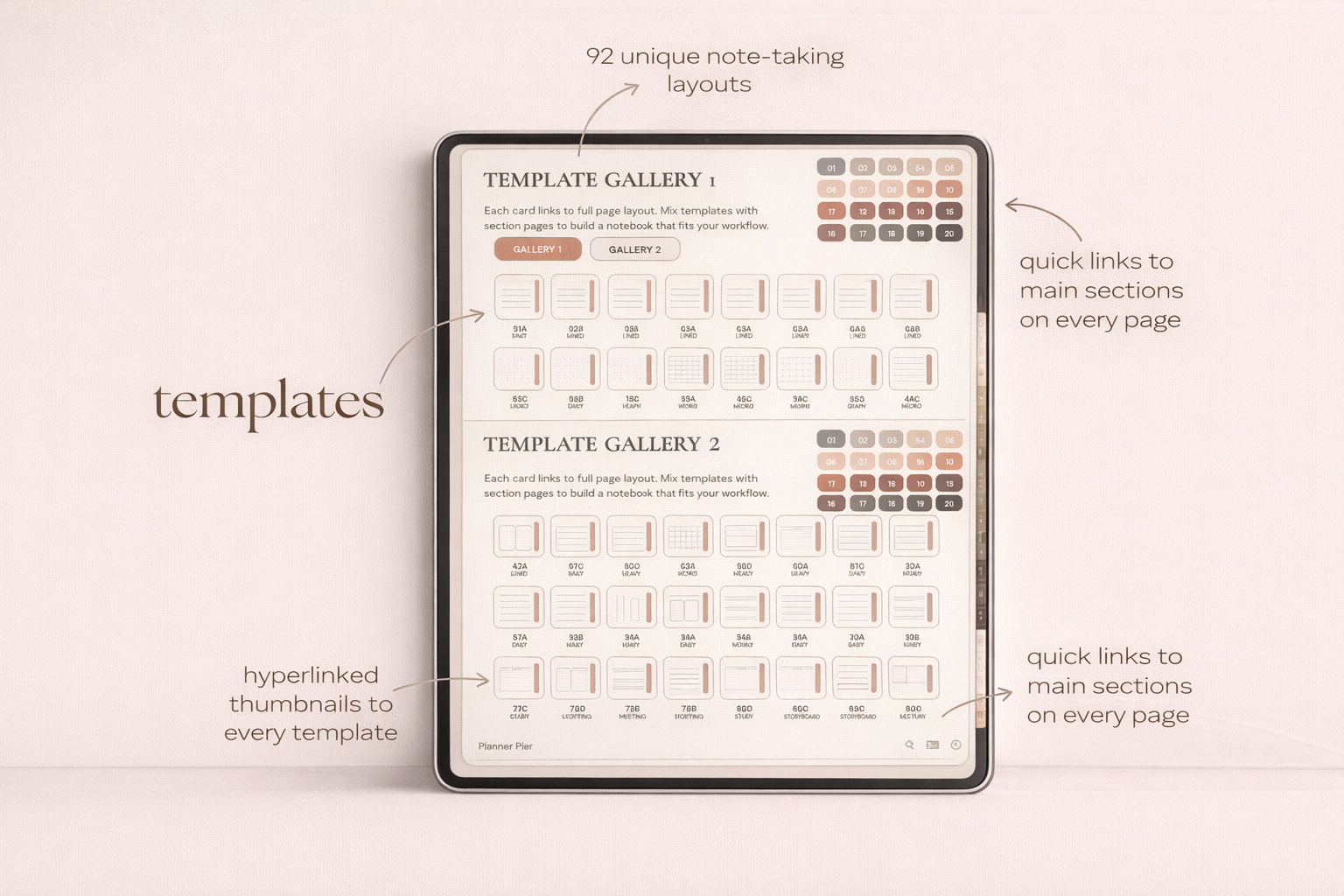
PlannerPier's Digital Notebook for Goodnotes gives students structured note space that pairs naturally with weekly planning, deadline tracking, and subject-based study routines.
- check_circleUseful for lecture notes, reading notes, and project planning
- check_circleHelps students keep context close to deadlines and weekly priorities
- check_circlePairs well with PlannerPier planner pages for a complete study workflow
Why many student planners still feel too generic
A lot of student planner content online stops at saying the planner includes calendars, to-do lists, and habit trackers. That is not enough. Students do not struggle because they have never seen a to-do list before. They struggle because academic work is layered. One essay can require topic selection, research, reading, outlining, drafting, edits, and submission. If a planner does not help break that work down, it becomes a record of stress rather than a tool for reducing it.
Competitor products also often overload students with decorative extras while under-supporting actual study behavior. They may include stickers, cute covers, and general productivity inserts, but still lack a clean structure for lecture notes, revision, or assignment planning. PlannerPier can fill that gap by talking more directly about study workflow: what to capture after class, how to plan reading across the week, and how to handle exam season without collapsing into last-minute chaos.
How to build a student workflow in Goodnotes
A practical Goodnotes setup for students begins with one planning layer and one notes layer. The planning layer holds semester dates, weekly priorities, and assignment deadlines. The notes layer holds class notes, reading notes, and project pages. This can live as a planner plus a digital notebook, or as a planner with a strong notes section if the file supports that well.
The key is consistency. After each lecture, add any new deadlines to the planner, then move quick action points into the next study block. During a weekly review, scan every class, confirm what is due soon, and decide what work must happen before the next review. This routine sounds simple because it should be. Students do not need more complexity. They need a system that survives busy weeks, missed classes, and shifting priorities.
Which PlannerPier products fit students best
For note-heavy students, the Digital Notebook for Goodnotes is a particularly strong fit because it gives the writing space and structure needed for lectures, reading, projects, and study planning. It works well alongside a planner because it keeps context close. If the student also wants a cleaner calendar-driven planning layer, the Simple Undated Digital Planner gives a calmer weekly and daily structure without locking them into a dated start point.
Students who need more guided support around energy, focus, and routine may also respond well to the softer structure of PlannerPier wellness-oriented products, but the planner-plus-notebook pairing is usually the most practical place to begin. This is also commercially useful for PlannerPier because students often need both planning and note-taking assets, not just one file.
How PlannerPier can win student search intent
Student search intent responds well to concrete examples. Instead of saying a planner helps with productivity, explain how it supports assignment tracking, exam prep, lecture capture, and weekly study planning. The more specific the examples, the more credible the recommendation becomes. This is especially important because student buyers are often comparing free templates, Etsy products, and app-native note workflows all at once.
PlannerPier should therefore keep the positioning practical: less clutter, better note support, better weekly planning, and a softer study system that does not feel like another source of pressure. That message is strong for SEO because it answers the real use case. It is strong for sales because it makes the product feel tied to academic outcomes rather than generic organization.
What an exam-week planning workflow should look like
Exam weeks expose weak planner systems very quickly. A useful student planner should help you see exam dates, identify the subjects that need the most attention, and break revision into smaller blocks that fit around classes, work shifts, or commuting. This is where weekly planning becomes more important than general motivation. Students need somewhere to map what topic gets reviewed on which day, what practice needs to happen, and which notes still need to be cleaned up or consolidated.
A digital workflow shines here because revision plans, class notes, and daily study blocks can stay close together. You can keep a subject notes section open, move to the weekly page, then return to your class materials without switching notebooks or rewriting tasks. That continuity lowers friction at exactly the moment when students are under the most pressure. It also shows why PlannerPier should not market student planning as cute organization alone. The stronger promise is calmer academic execution when deadlines are tight.
A simple way to track assignments by class without overwhelm
Students often fail to keep planners updated because every class competes for attention in the same space. A cleaner approach is to give each course one mini workflow: capture deadlines, list the next action, and keep one notes location for related material. That might be one notebook section per class or one recurring review page. The point is not to build a complicated dashboard. The point is to make it easy to answer three questions quickly: what is due, what is next, and where are the notes I need to continue?
When that structure exists, weekly reviews become much less intimidating. Instead of scanning a giant mixed list, the student can move course by course and make small decisions. This also improves academic follow-through because work is chunked at the class level instead of staying as one vague wall of pressure. PlannerPier can lean into this difference by showing how notebooks, notes pages, and study planning tools work together. That is more persuasive than generic productivity language because it matches the way academic life is actually organized.
Frequently asked questions
What is the best digital planner for college students?
The best option is usually one that combines deadline visibility, weekly planning, and strong note support so students can manage classes and study work in one system.
Should students use a planner and a digital notebook together?
Yes, often. A planner handles deadlines and weekly priorities, while a notebook holds lectures, reading notes, and project material.
Is Goodnotes good for student digital planning?
Yes. Goodnotes is especially useful for student planning because PDF planners and digital notebooks can live together in the same library and support linked workflows.
Turn deadlines into a study system you can actually keep up with
PlannerPier helps students combine planning, note-taking, and weekly review into one calmer workflow. Explore student-friendly planners and notebooks at https://www.plannerpier.com/.